
Business application
iS Manager
I started iS Manager so my colleagues and I could count stock together. It grew into the application iServices shops use to track sales, invoices and progress towards their targets.
- Organisation
- iServices
- My role
- Design, development and deployment
- Technologies
- AdonisJS · Vue · Inertia · PostgreSQL · Redis · MCP · OpenAI API · Gmail API
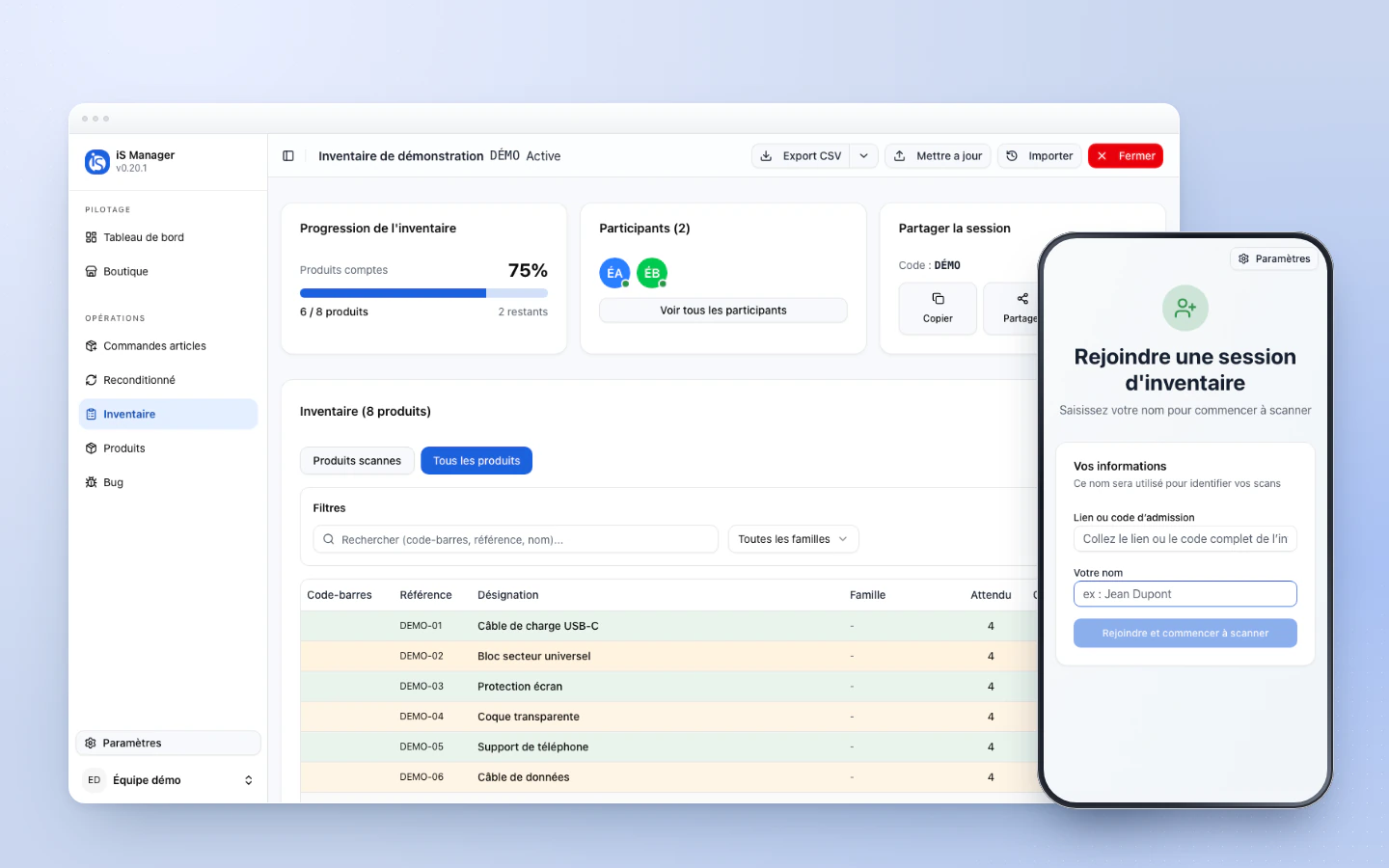
A barcode scanner and a spreadsheet
We had a barcode scanner and Excel. That was our stocktaking kit. Halfway through a count, it was hard to tell where the discrepancy was, or even which way it went. Were we missing an item or did we have one too many?
I wrote the first version on my own initiative, outside my role in the shop. We each scan with our phones and see how the count compares with the stock we expect. Two of us tried it together and got through the stocktake pretty quickly.
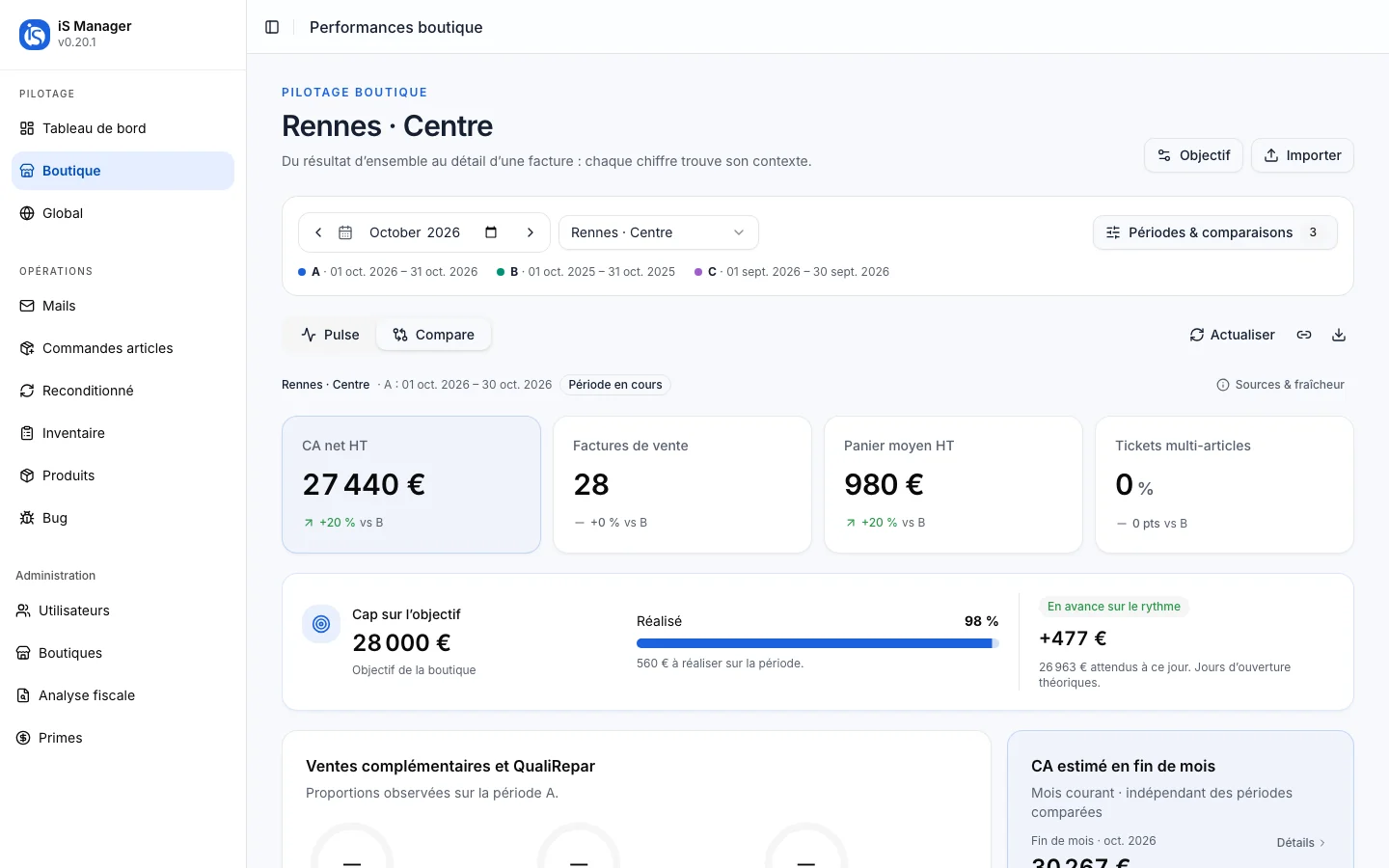
Making sense of the invoices
I connected the invoicing exports to the shop dashboards. Credit notes reduce the total, and importing the same invoice twice doesn’t inflate sales. That gives shops a common basis for comparing figures.
A manager can check progress towards a monthly target, look up net sales before tax or the average transaction value, then see which product categories explain a change between two periods.
Asking a question about sales
Which product categories grew the most this month? A manager can ask the assistant I built using the OpenAI API. It answers from the figures for the shops that person has access to.
I also built a Model Context Protocol (MCP) server so other assistants can look up the same figures.
The emails we send from the shop
A stock transfer or a refund request calls for the same details across shops. I put together templates with the recipients and fields already set up. The application sends the message through Gmail and keeps a copy in its history.
Running the application
I host iS Manager on my VPS with Coolify. The website and the processes that import invoices run separately from the same Docker image. The team can keep using the dashboards while an import runs.